







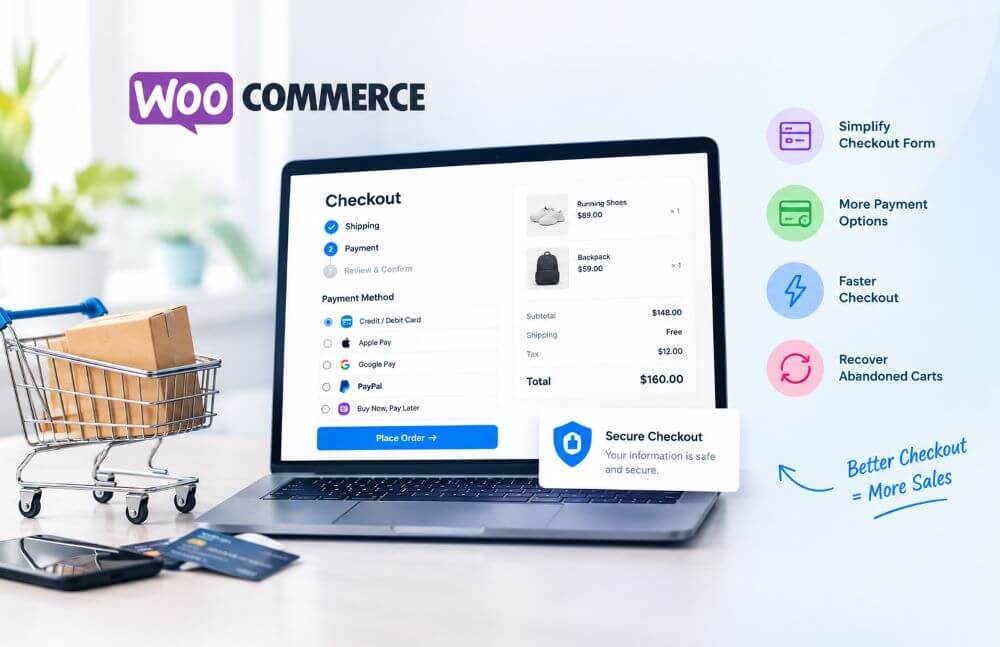

A customer spends ten minutes picking out products, adds three items to their cart, and then vanishes at the payment screen. No error message, no support ticket—just an empty checkout page and a lost sale. This is one of the most common and most fixable problems in e-commerce: a checkout that isn’t built around how people actually shop.
WooCommerce checkout optimization is the process of finding where customers hesitate or give up during checkout, then removing those obstacles with better design, fewer steps, and the right plugins. It’s rarely one big fix—usually it’s a stack of small frictions (an extra field here, a missing payment method there) that add up. As a WooCommerce development company, Elsner has learned that the right plugin depends entirely on what’s actually broken in your funnel, so diagnosing the problem comes before picking a tool.
Why Customers Abandon Your WooCommerce Checkout
Common contributors to WooCommerce abandoned cart behavior include:
- Unexpected costs appearing only at the final step
- Mandatory account creation
- Too many irrelevant form fields
- Limited WooCommerce payment options
- Slow-loading checkout pages, especially on mobile
- Confusing coupon fields
- Missing trust signals or an unfamiliar payment flow
Nearly all of these are fixable through checkout customization and configuration, not a full store rebuild.
Is Your Checkout Form Too Complicated?
The default WooCommerce checkout form is functional but generic—it wasn’t designed around your specific customers or shipping model. Typical problems: no guest checkout, redundant billing/shipping fields, no conditional logic, and poor mobile field order.
WordPress WooCommerce checkout page customization usually starts with a field editor that lets you add, remove, reorder, or conditionally show fields without touching code—letting you customize WooCommerce checkout around your actual buying journey instead of a generic template.
Are Limited Payment Options Costing You Sales?
Woocommerce payment options vary by region and purchase type. A store offering only one payment gateway is telling a share of visitors it isn’t set up for them. Strong WooCommerce payment integration covers major cards, digital wallets (Apple Pay, Google Pay), relevant BNPL options, and regional methods where needed.
The stripe payment gateway WooCommerce integration is widely used because it handles cards, wallets, and multi-currency payment processing in one connection—though “best” depends on your target markets; some regions need local gateways alongside or instead of Stripe.



Is Your Checkout Too Slow?
Checkout speed has two parts: technical load time and the number of steps to complete an order. WordPress Express Checkout tools let returning customers skip repeated data entry using saved details or wallets. WordPress WooCommerce fast checkout typically combines a single-step flow, auto-filled fields, express payment buttons, and fewer redirects—especially valuable for mobile visitors.
Does Your Checkout Create a Lack of Trust?
Secure checkout is both a backend requirement (SSL, PCI compliance) and a perception the page must communicate. Trust is built through visible payment badges, upfront totals (tax and shipping included), clear policy links, and recognizable payment methods — all shaping overall customer experience at the most decision-heavy point in the funnel.
Best WooCommerce Checkout Plugins
Features and pricing can change with updates, so confirm current details before purchasing.
Checkout Field Editor/Manager plugins (e.g., Acowebs)—solve rigid default fields with drag-and-drop editing and conditional logic. Best for stores whose fields don’t match their shipping model. Some versions are built for classic checkout only, so confirm block-checkout compatibility. Free tiers exist; advanced logic is usually paid.
One-Page Checkout plugins combine cart and checkout into a single page, reducing navigation steps. Best for single-product or landing-page sales; less suited to large catalogs.
CartFlows—replaces the default checkout with conversion-focused templates and adds order bumps/upsells. Best for funnel-driven launches. Free version available; advanced features are paid.
FunnelKit (formerly WooFunnels)—similar to CartFlows, with checkout templates and one-click upsells built for WooCommerce. Best for promotional funnels and subscription offers.
WooCommerce Payments / Stripe Gateway—adds card and digital wallet support with in-page checkout (no external redirect). Best for stores in supported regions wanting one integrated payment stack. Confirm regional currency support.
CartBounty—monitors live carts, saves checkout data, and sends automated recovery emails and exit-intent offers. Best for stores with meaningful abandonment volume. Core features are free; advanced segmentation and messaging are paid.
Plugin Comparison
| Plugin | Best For | Key Feature | Checkout Customization | Express Checkout | Abandoned Cart Support |
| Field Editor/Manager | Custom form fields | Drag-and-drop editing | Yes | Limited | No |
| One Page Checkout | Single-product sales | Cart + checkout in one page | Moderate | Yes | No |
| CartFlows | Funnels & launches | Templates + order bumps | Yes | Yes | No |
| FunnelKit | Upsell-heavy stores | Templates + one-click upsells | Yes | Yes | No |
| WooCommerce Payments/Stripe | Payment coverage | Cards + wallets in one integration | No | Yes | No |
| CartBounty | Recovering carts | Live monitoring + recovery emails | No | No | Yes |
How to Choose the Right Plugin
Match the plugin to your actual bottleneck, checking checkout customization needs, mobile responsiveness, gateway compatibility, WooCommerce/block-checkout support, performance impact, security and update frequency, ease of configuration, guest checkout, express checkout support, abandoned-cart recovery, and compatibility with existing extensions. Start with the biggest friction point first, test it, then layer additional tools—stacking untested plugins often recreates the clutter you’re trying to remove.
Quick Optimization Checklist
- Reduce unnecessary checkout fields
- Enable guest checkout
- Offer relevant payment options
- Add trusted payment gateways
- Optimize for mobile
- Show shipping costs upfront
- Use express/fast checkout where it fits
- Improve checkout page speed
- Use clear error messages
- Recover abandoned carts with saved data and timely reminders
- Add trust and security signals
- Test checkout regularly after updates
Results vary by traffic and product mix, but each step removes a documented source of friction. Checkout optimization can also extend upstream a WooCommerce AI chatbot can answer shipping, product, or order questions in real time, before hesitation turns into an abandoned cart.
Final Thoughts
Improving a WooCommerce checkout means matching the right tool to the specific friction customers are experiencing a field editor won’t fix a slow page, and a payment gateway won’t fix a confusing form. For stores with complex requirements—custom pricing logic, multi-region payments, or ERP/CRM integration off-the-shelf plugins only go so far. Elsner’s WooCommerce development team can help build a checkout experience tailored to your catalog and customers, rather than a generic template.